


LUCKIELLS Competitive Non-slip Stickers For Wireless Mice
- Regular price
-
$8.52 - Sale price
-
$8.52
Couldn't load pickup availability
Shipping information
Use collapsible tabs for more detailed information that will help customers make a purchasing decision.
Ex: Shipping and return policies, size guides, and other common questions.
Returns information
Use collapsible tabs for more detailed information that will help customers make a purchasing decision.
Ex: Shipping and return policies, size guides, and other common questions.



Product Details
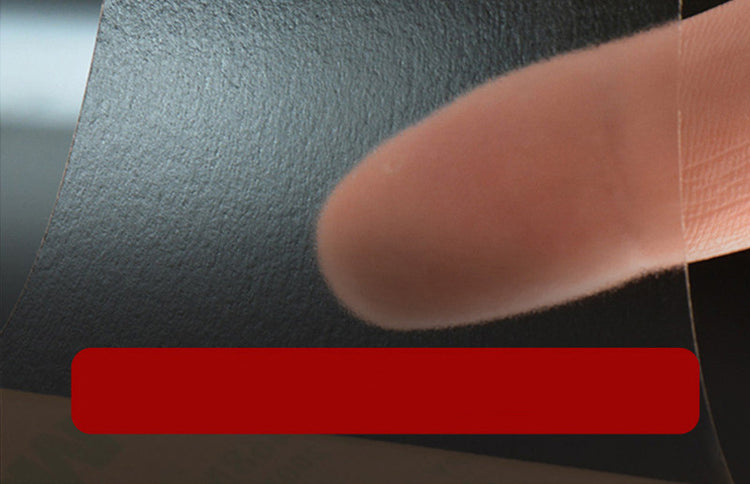
LUCKIELLS Competitive Non-slip Stickers enhance your gaming experience by providing superior grip and control for wireless mice. Designed specifically for gamers and professionals, these non-slip stickers ensure that your mouse stays firmly in place during intense gaming sessions or when working on demanding tasks. Their innovative design is tailored to improve performance, enabling smoother movements and precision in every click.
These stickers are made from high-quality materials that offer durability and long-lasting performance. The non-slip surface is engineered to withstand wear and tear, ensuring that they maintain their sticky qualities even after prolonged use. Installation is a breeze: simply peel off the backing and apply them to your mouse. They fit snugly, adhering to the surface securely without leaving any residue when removed.
Whether you're a competitive gamer looking to gain an edge or just someone who demands precision, the LUCKIELLS Competitive Non-slip Stickers are the ideal accessory for your wireless mouse. With their sleek design, they also enhance the aesthetic appeal of your device, allowing you to personalize your setup.
For those who prioritize both function and style, these stickers are an essential addition to your gaming toolkit. You can trust LUCKIELLS to deliver products that meet your high standards while enhancing your performance.
FAQ
Q: Are the stickers easy to remove?
A: Yes, the LUCKIELLS stickers can be easily removed without leaving any sticky residue behind.
Q: How do I install the stickers on my mouse?
A: Simply peel the backing off and carefully apply the stickers to the designated areas on your mouse.
1. Collapsible tab
Share information about your brand with your customers. Describe a product, make announcements, or welcome customers to your store.
2. Collapsible tab
Share information about your brand with your customers. Describe a product, make announcements, or welcome customers to your store.
3. Collapsible tab
Share information about your brand with your customers. Describe a product, make announcements, or welcome customers to your store.
Tab collage
1. Image heading
2. Image heading
3. Image heading
4. Image heading
Pair text with an image to focus on your chosen product, collection, or blog post. Add details on availability, style, or even provide a review.
Pair text with an image to focus on your chosen product, collection, or blog post. Add details on availability, style, or even provide a review.
Pair text with an image to focus on your chosen product, collection, or blog post. Add details on availability, style, or even provide a review.
Pair text with an image to focus on your chosen product, collection, or blog post. Add details on availability, style, or even provide a review.
Testimonials
Author's nameAdd customer reviews and testimonials to showcase your store’s happy customers.
Author's nameAdd customer reviews and testimonials to showcase your store’s happy customers.
Author's nameAdd customer reviews and testimonials to showcase your store’s happy customers.
Author's nameAdd customer reviews and testimonials to showcase your store’s happy customers.
Author's nameAdd customer reviews and testimonials to showcase your store’s happy customers.